TWS Earbuds for iPhone: What Actually Matters Before You Buy in India
Key Takeaways
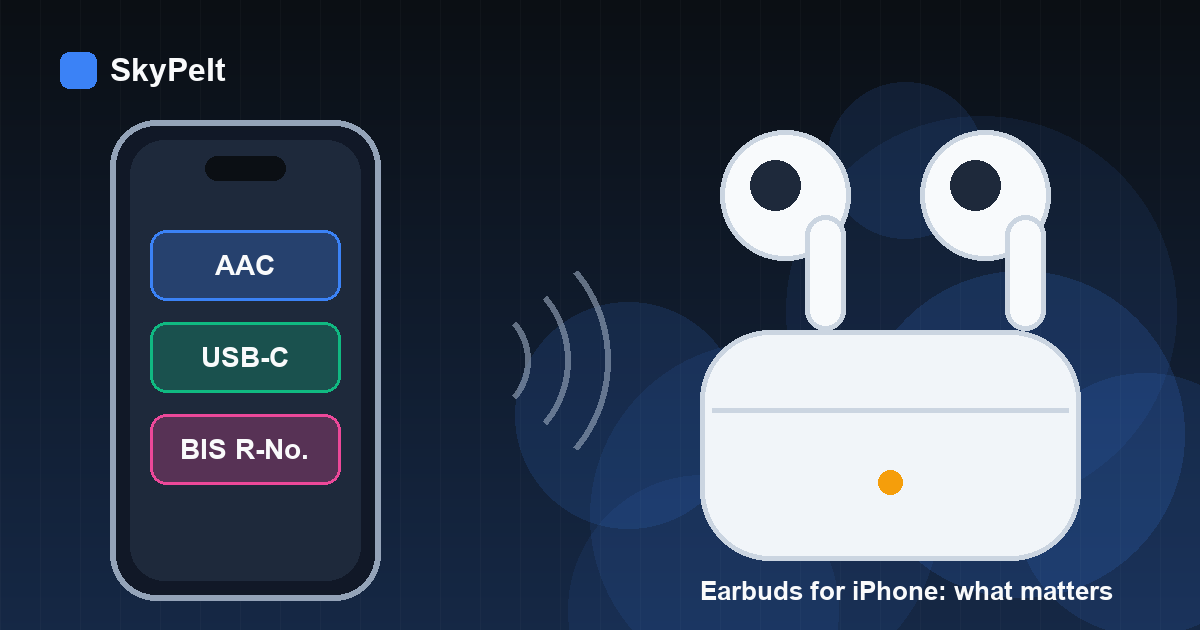
- Codec: iPhone streams Bluetooth music over AAC or SBC. LDAC and aptX badges do nothing on an iPhone.
- Apple-only extras: automatic switching, Audio Sharing, head-tracked Spatial Audio and Find My need AirPods (or, for some features, Beats).
- App check: make sure the brand's companion app exists on the App Store for your exact model.
- India check: wireless earphones need a BIS registration number on the box. You can verify it in the BIS CARE app.
Any Bluetooth TWS earbuds will pair with an iPhone. What changes is which features from an Android-first spec sheet still work on iOS. Before you pay for a feature, check four things: AAC support, a working iOS companion app, call quality, and, if you are buying in India, a valid BIS registration number. This guide explains each check and shows what you only get with AirPods or Beats.
The short answer
If you use an iPhone with a Mac or iPad, AirPods give you features no other brand can match. Audio follows you between devices automatically, you can share audio with a friend, and Spatial Audio tracks your head movement. If an iPhone is your only Apple device and you want value, a well-made non-Apple pair with AAC and a good iOS app covers what matters most. Noise cancellation, call mics and battery life depend on the earbuds' hardware, not on an Apple logo.
1. Check for AAC, and ignore LDAC and aptX
An iPhone sends Bluetooth music using two codecs: the basic SBC and AAC. Apple's Accessory Design Guidelines for Bluetooth audio (A2DP) only cover those two for iOS devices. In practice, that means two things:
- LDAC, aptX, aptX Adaptive and LHDC badges don't help on an iPhone. Budget earbuds often advertise them because they matter on many Android phones. If an iPhone is your only phone, don't pay extra for them.
- Choose earbuds that list AAC. On iPhone, AAC is generally the better of the two codecs. If a spec sheet doesn't mention AAC, the earbuds may fall back to SBC.
Marketplace listings in India often leave out codec details. Check the brand's own product page or the PDF manual instead of the seller's bullet points.
2. What you only get with AirPods (and some Beats)
Apple keeps several iPhone features for its own earbuds and headphones. Here is what its support pages say:
| Feature | What it does | Which earbuds get it |
|---|---|---|
| Automatic switching | Moves audio between your iPhone, iPad, Mac and Apple Watch when they are signed in to the same Apple Account | AirPods 2 and later, all AirPods Pro, all AirPods Max |
| Audio Sharing | Two people listen to the same iPhone audio, each with their own volume | Compatible AirPods and Beats headphones |
| Spatial Audio with head tracking | Surround-style sound that stays anchored to the screen as you turn your head | AirPods 3, AirPods 4, AirPods 5, AirPods Pro and AirPods Max |
| Find My | Shows the earbuds' last known location on a map | AirPods; other brands only if the product is part of Apple's Find My network accessory programme |
Sources: Apple Support on automatic switching, Audio Sharing and Spatial Audio and head tracking. Third-party Find My support goes through Apple's Find My network accessory programme, and Belkin's SOUNDFORM Freedom earbuds were one of the first products in it. Compatible products carry a "Works with Apple Find My" badge.
If none of these features matter to you, for example because you never use a Mac or iPad, you lose very little by choosing another brand.
3. Confirm the companion app works on iOS
Many brands keep the important controls in a companion app: EQ, touch-gesture remapping, noise-cancelling levels and firmware updates. Before you buy, search the App Store for the brand's app and check three things:
- The app exists for iPhone and lists your exact model. Some brands support only newer models on iOS.
- Recent reviews don't keep mentioning pairing failures or firmware updates getting stuck.
- The features you care about, such as a custom EQ or low-latency game mode, are available in the iOS version too. Some apps offer fewer settings on iPhone than on Android.
Firmware updates matter more than they seem. They fix connection drops and battery bugs months after you buy, so a pair without any app can't be improved later. Google Fast Pair, the pop-up pairing many Android phones show, doesn't apply on iPhone. You pair once through Settings, then Bluetooth, and that's it.
4. Features that work on iPhone with any brand
- Active noise cancellation and transparency mode are built into the earbuds. You control them by touch or in the app, and they work the same on any phone.
- Multipoint lets supported earbuds stay connected to your iPhone and a Windows laptop at the same time. It is the closest non-Apple alternative to automatic switching, and arguably more useful if your laptop isn't a Mac.
- Battery level: many Bluetooth headsets report their charge to the iPhone, so it appears in the Batteries widget. Apple's accessory guidelines include a specification for this.
- Voice assistant: most earbuds open Siri with a press-and-hold gesture. The manual lists the exact gesture.
- Calls: call quality depends on the earbuds' microphones and noise processing, not on the phone brand. Look for reviews that test calls outdoors, because Indian traffic noise is a tough test.
5. Charging: USB-C simplifies things from iPhone 15 onwards
iPhone 15 and later models have a USB-C connector. If your earbuds' case also uses USB-C, one cable charges both, which helps when you travel. iPhone 14 and earlier use Lightning, so you'll usually carry a second cable for non-Apple earbuds. A wireless-charging case is convenient if you already own a charging pad, but it usually costs extra and is the first feature to drop if you're on a budget.
For more on making charges last, see our smartphone battery-life tips. Most of the habits that help a phone battery, like avoiding heat and constant 0% drains, help earbud batteries too.
6. Buying in India: check the BIS registration
Wireless headphones and earphones are covered by the Bureau of Indian Standards' Compulsory Registration Scheme under IS 616:2017, with the order in force since 1 April 2021. Products sold legally in India should show a registration number in the form "R-" followed by digits on the box or label, and you can check it in the official BIS CARE app. A few more simple checks:
- Buy from the brand's own store or an authorised seller, and keep the GST invoice. Warranty claims usually need it.
- Be wary of "AirPods" listings priced far below Apple's own price. Clones are common, and they don't get Apple features like automatic switching or Find My.
- Check the return window before you open the box. Fit is personal, and ear tips that don't seal properly ruin both bass and noise cancellation.
Which type should you buy?
- iPhone-only, tight budget: a basic pair with AAC and decent battery life. Our guide to TWS earbuds under ₹2,000 covers that price band.
- Lots of calls or a noisy commute: put microphone reviews and noise cancellation ahead of codec badges and bass-boost claims.
- iPhone plus a Mac, iPad or Apple Watch: AirPods justify their price through automatic switching, Audio Sharing and Find My.
- iPhone plus a Windows laptop: non-Apple earbuds with multipoint are often more convenient, because AirPods only switch automatically between Apple devices.
Thinking about switching phones as well? Our iPhone 16 vs Galaxy S25 comparison covers ecosystem lock-in, and if you also want a wearable, see our smartwatches under ₹5,000. Check iPhone compatibility for those too, since many budget watches have limited iOS features.
Quick checklist before you pay
- AAC is listed in the specs. Ignore LDAC and aptX if you only use an iPhone.
- The companion app is on the App Store and supports your exact model.
- Multipoint is supported if you also use a laptop.
- The case uses USB-C if you have an iPhone 15 or later.
- A BIS R-number is printed on the box and checks out in BIS CARE.
- You're buying from an authorised seller, with a GST invoice and a return window.
FAQ
Do Samsung or OnePlus earbuds work with iPhone?
Yes. They work as standard Bluetooth earbuds for music and calls. Brand-specific extras, such as their own high-resolution codecs or switching between that brand's phones, may be missing on iOS, so check the brand's iOS app for your model.
Is LDAC worth it on an iPhone?
No. iPhones don't use LDAC, so the earbuds fall back to AAC or SBC. LDAC only matters if you also use an Android phone that supports it.
Can non-Apple earbuds use Find My?
Only if they were built under Apple's Find My network accessory programme. Look for "Works with Apple Find My" on the box or product page. Without it, you can't track the earbuds in the Find My app.
Are AirPods worth it if I only have an iPhone?
It depends on what you value. Without other Apple devices, you lose the main benefit of automatic switching. You still get one-tap setup, Audio Sharing, Find My and head-tracked Spatial Audio on supported models. If those don't matter to you, a good non-Apple pair with AAC is the better-value choice.
Sources
- Apple Support: Switch your AirPods to another device
- Apple Support: Share audio with AirPods and Beats headphones
- Apple Support: Control Spatial Audio and head tracking on AirPods
- Apple Support: Charge and connect with the USB-C connector on your iPhone
- Apple Developer: Accessory Design Guidelines (Bluetooth A2DP codecs, headset battery indication)
- Apple Newsroom: Find My network third-party accessories (April 2021)
- BIS: Products under the Compulsory Registration Scheme
- BIS: BIS CARE app (Verify R-Number under CRS)